Hi EMSA Community,
Last blog announced some new app features, here we show you how to use some of them. Keep reading to learn how to reassign the context of individual collections, quickly change plot context and how to download a backup of data to your device.
Reassign collection context
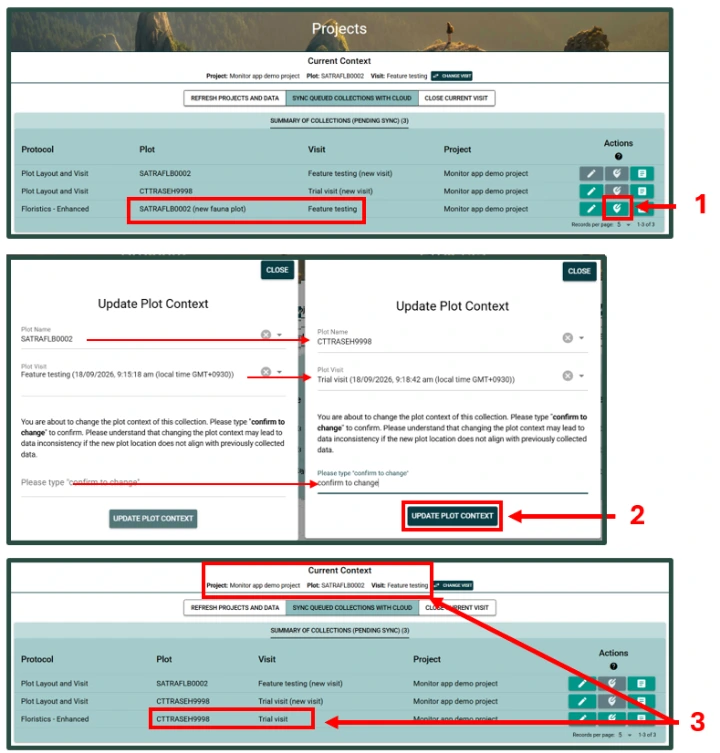
It is now possible to reassign the context of some collections that are pending sync. This will only change the context for individual collections, and not the ‘current context’, nor will it change the context of in-progress collections. To reassign the context of a specific record:
- Click the edit location button next to the relevant record in the ‘summary of collections (pending sync) table
- Complete the fields as required then press ‘UPDATE PLOT CONTEXT’
- Check that the correct context now appears next to the collection, and note that the ‘Current Context’ is unchanged’
Change current context quickly
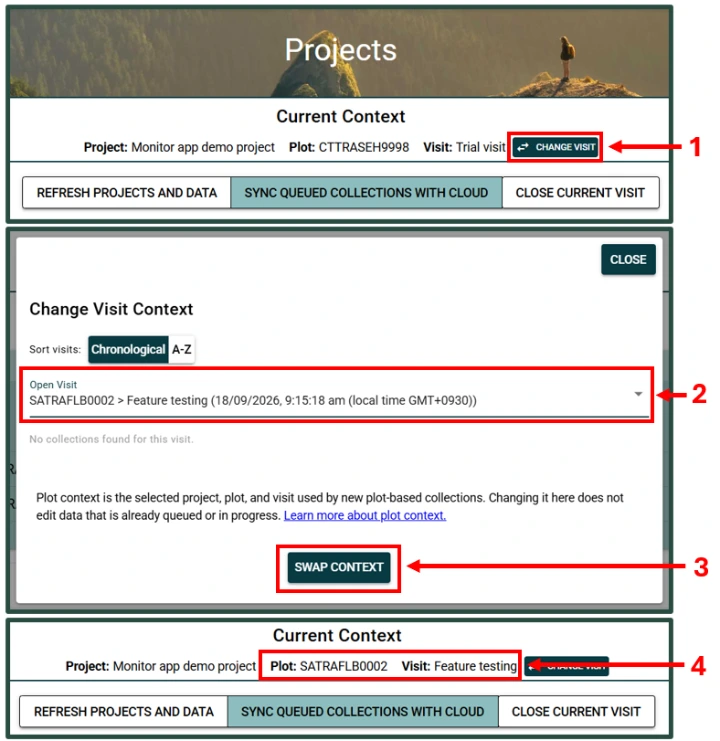
A new and fast way to set plot context using the ‘Change visit’ button.
- At the top of the projects page select ‘CHANGE VISIT’
- Use the drop down to select the correct visit for the data that you are inputting
- Press ‘SWAP CONTEXT’
- Check your context again at the top of the screen to ensure that you are now in the correct project, plot and visit
Download a data backup
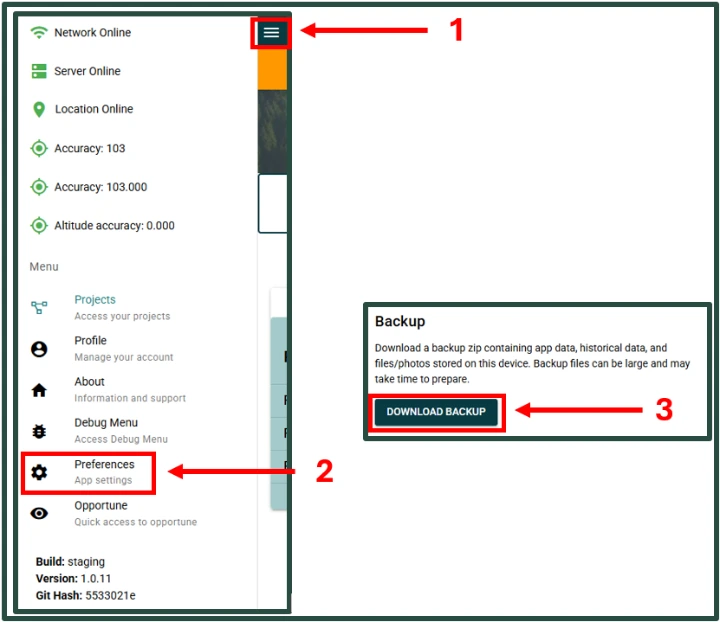
Users can now download a backup of data to be stored on their device. This data backup will be in an encrypted form for use by the EMSA helpdesk team if required. Manual data backup is not required when using the EMSA app but has been highly requested by users. To use the function:
- Open the side menu in Monitor
- Go to preferences
- Scroll down and click 'DOWNLOAD BACKUP'
- Backup files can be large and may take some time to complete
Start writing here...